
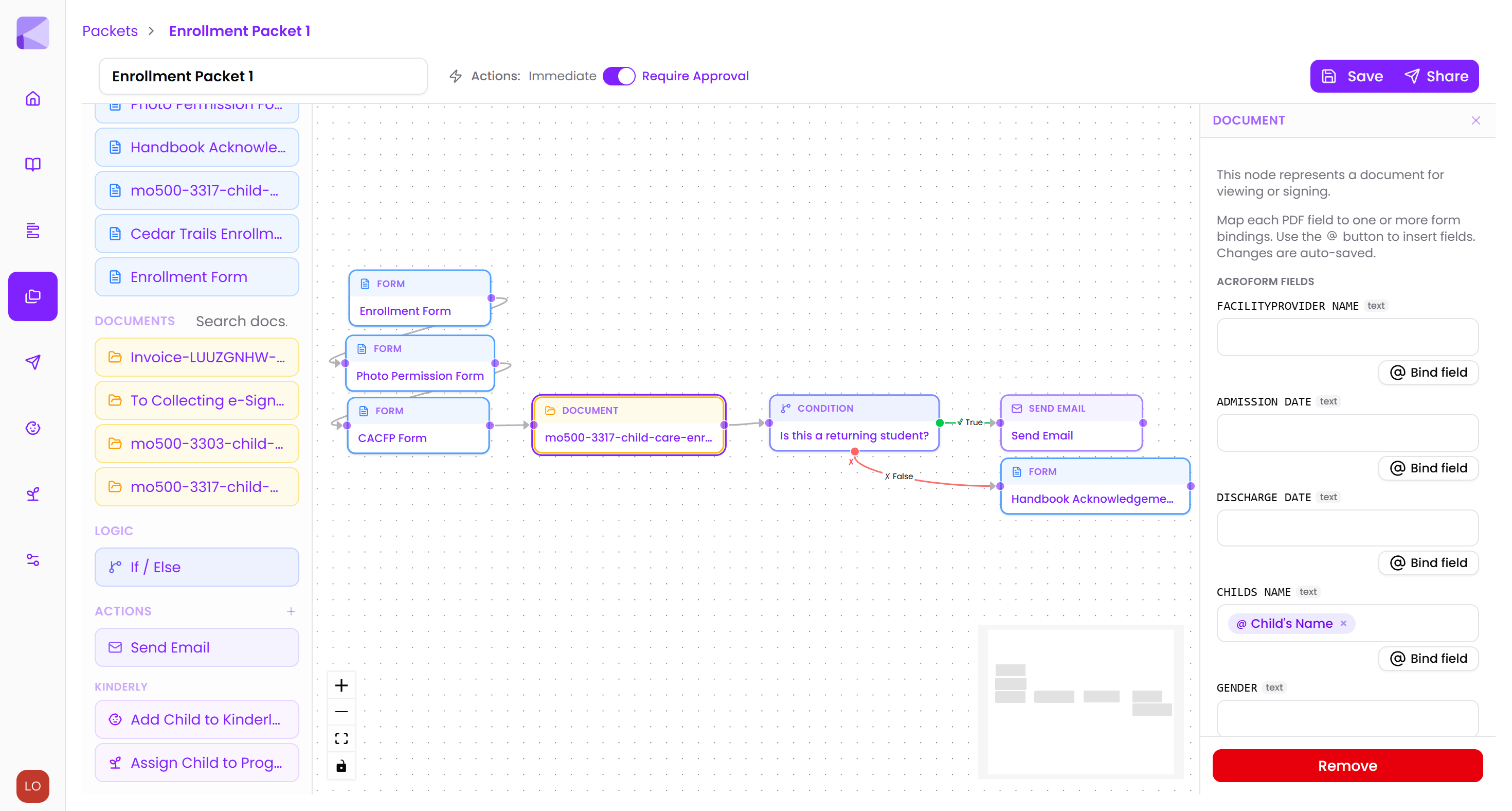
Easily build packets
Build your enrollment packet in minutes.
Free to start — no credit card required
Build your enrollment packet in minutes.
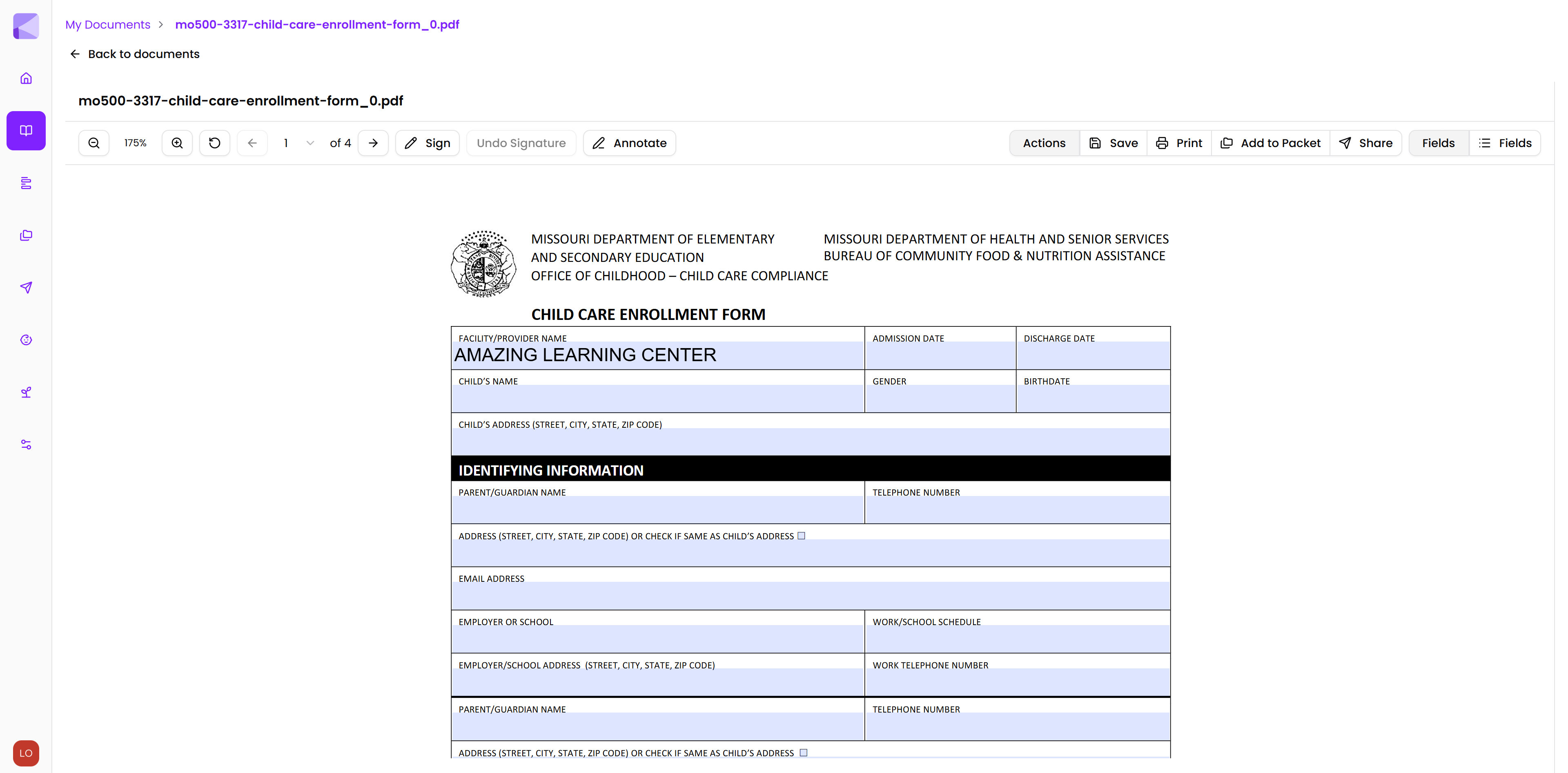
Collect e-signatures and auto-fill state forms
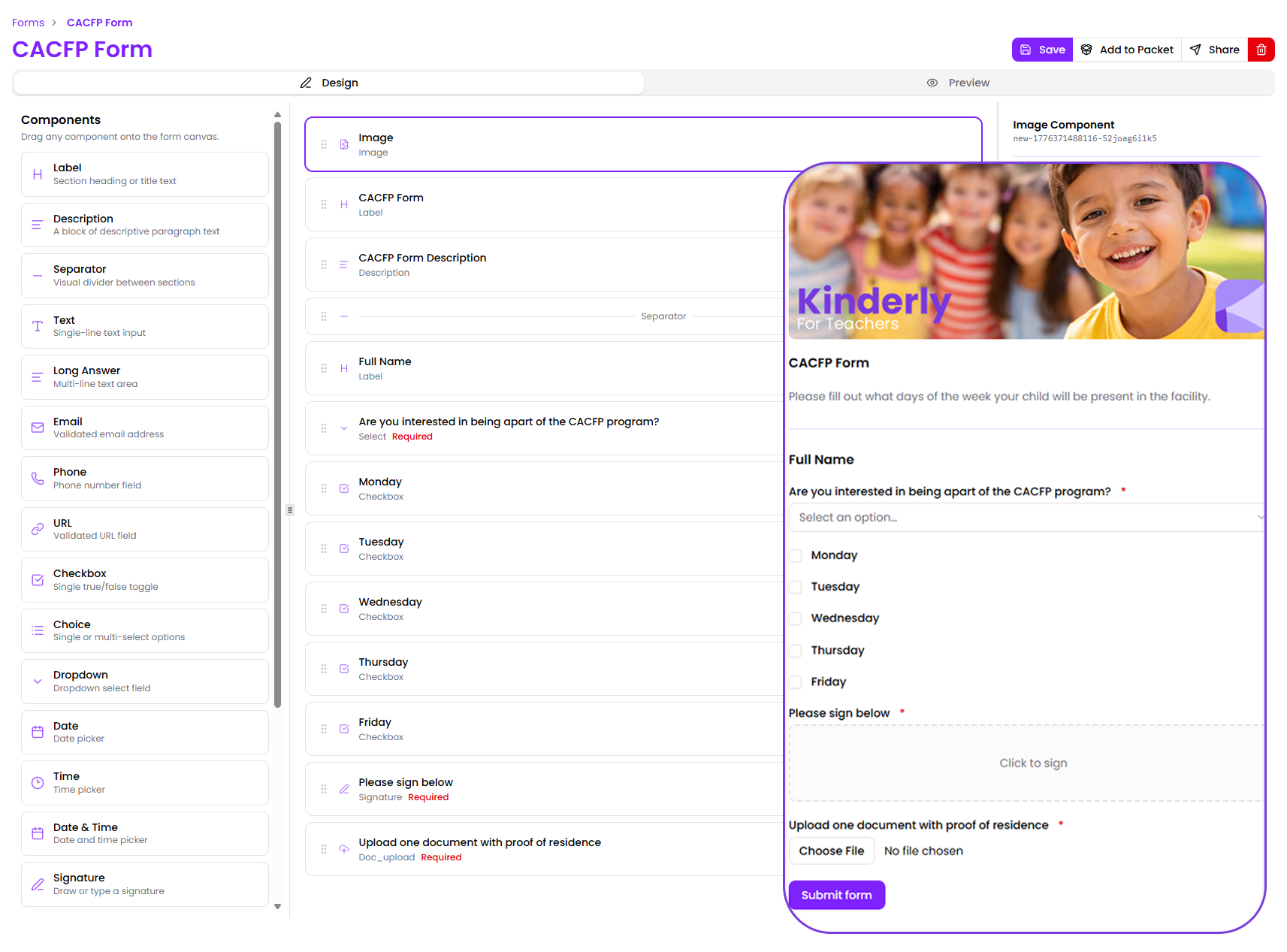
Customize forms with your logo, colors, and fonts to maintain a consistent brand experience.
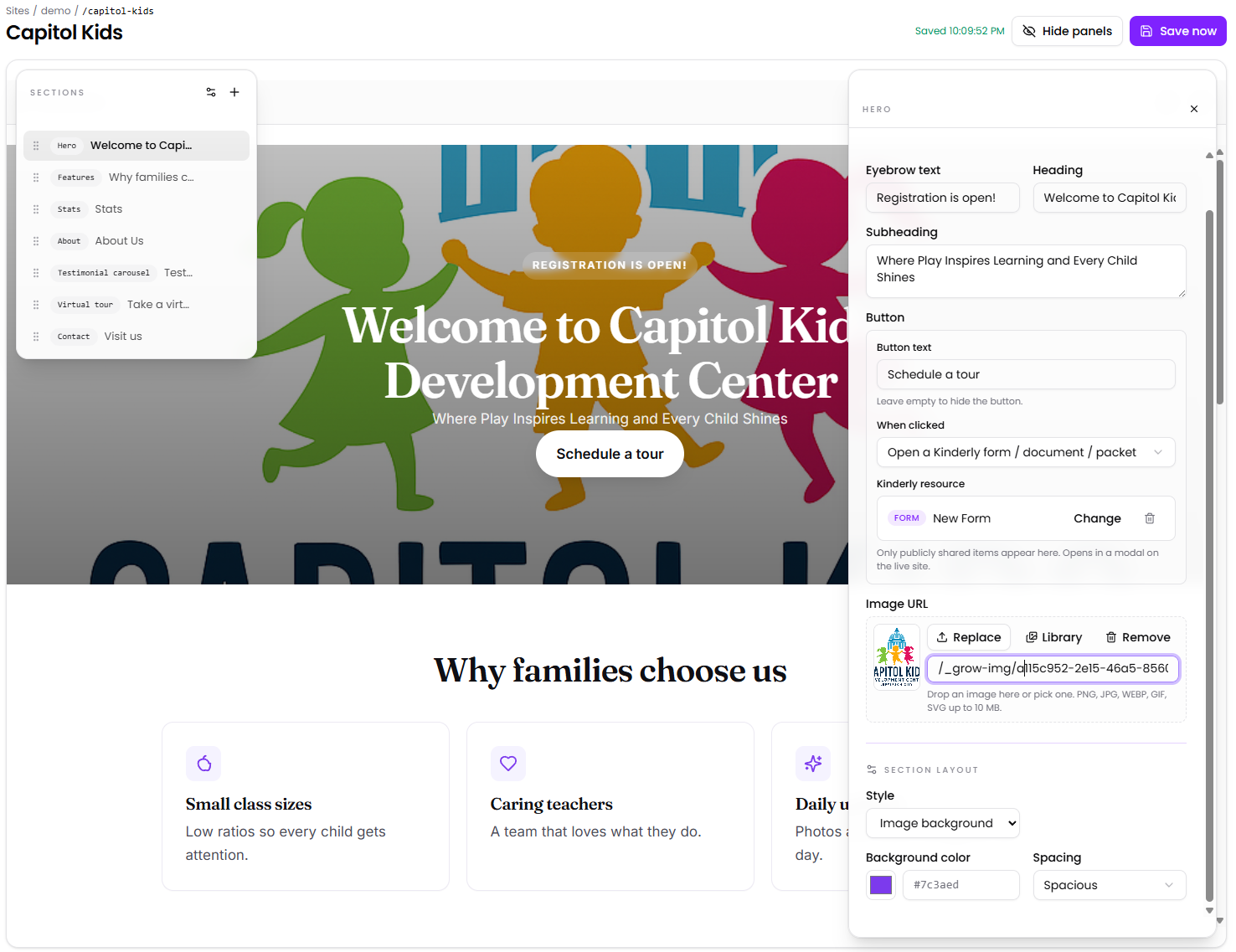
Point, click, and publish — no code, no developer, no design skills required.
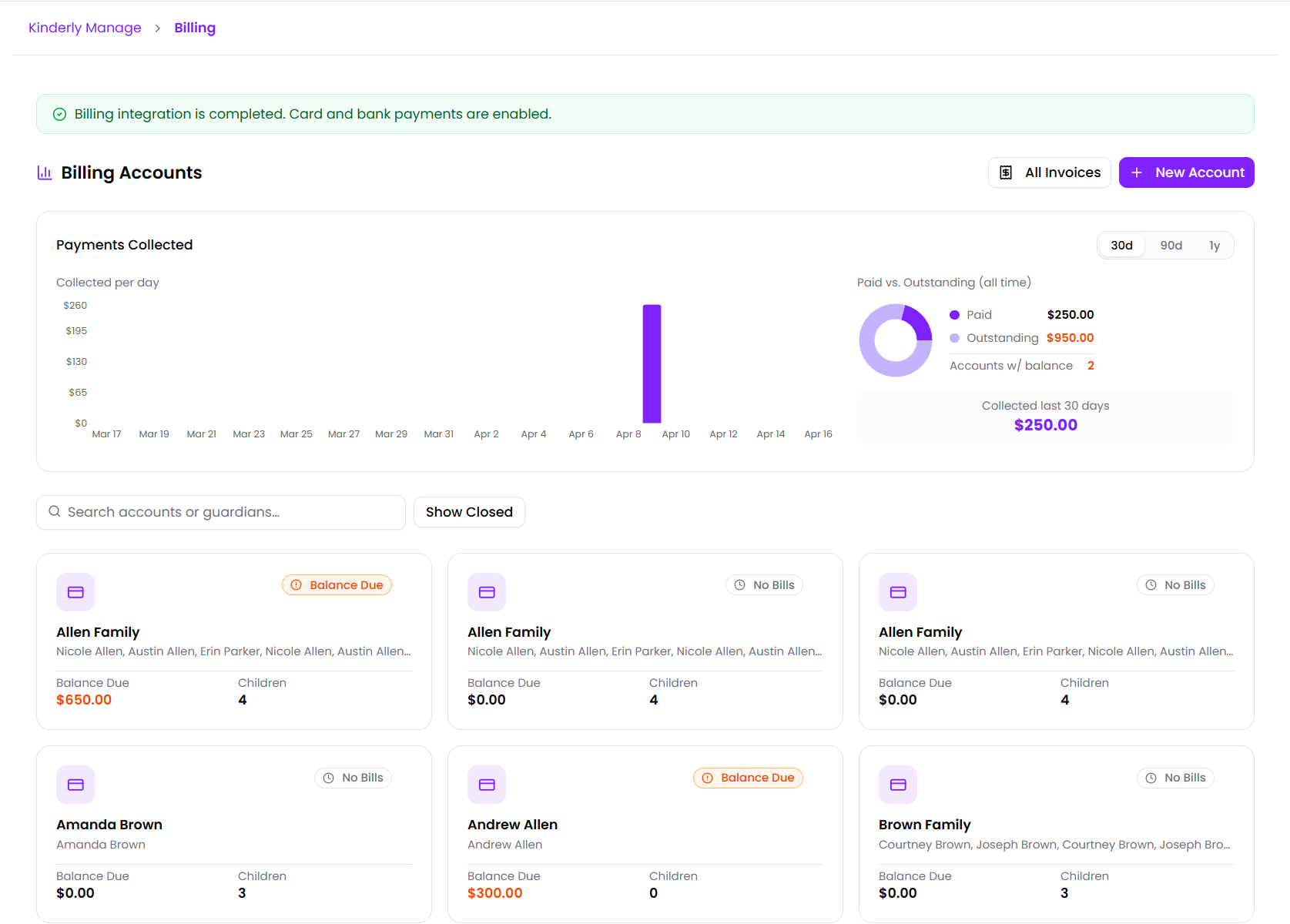
Recurring invoices and online card payments built for childcare.
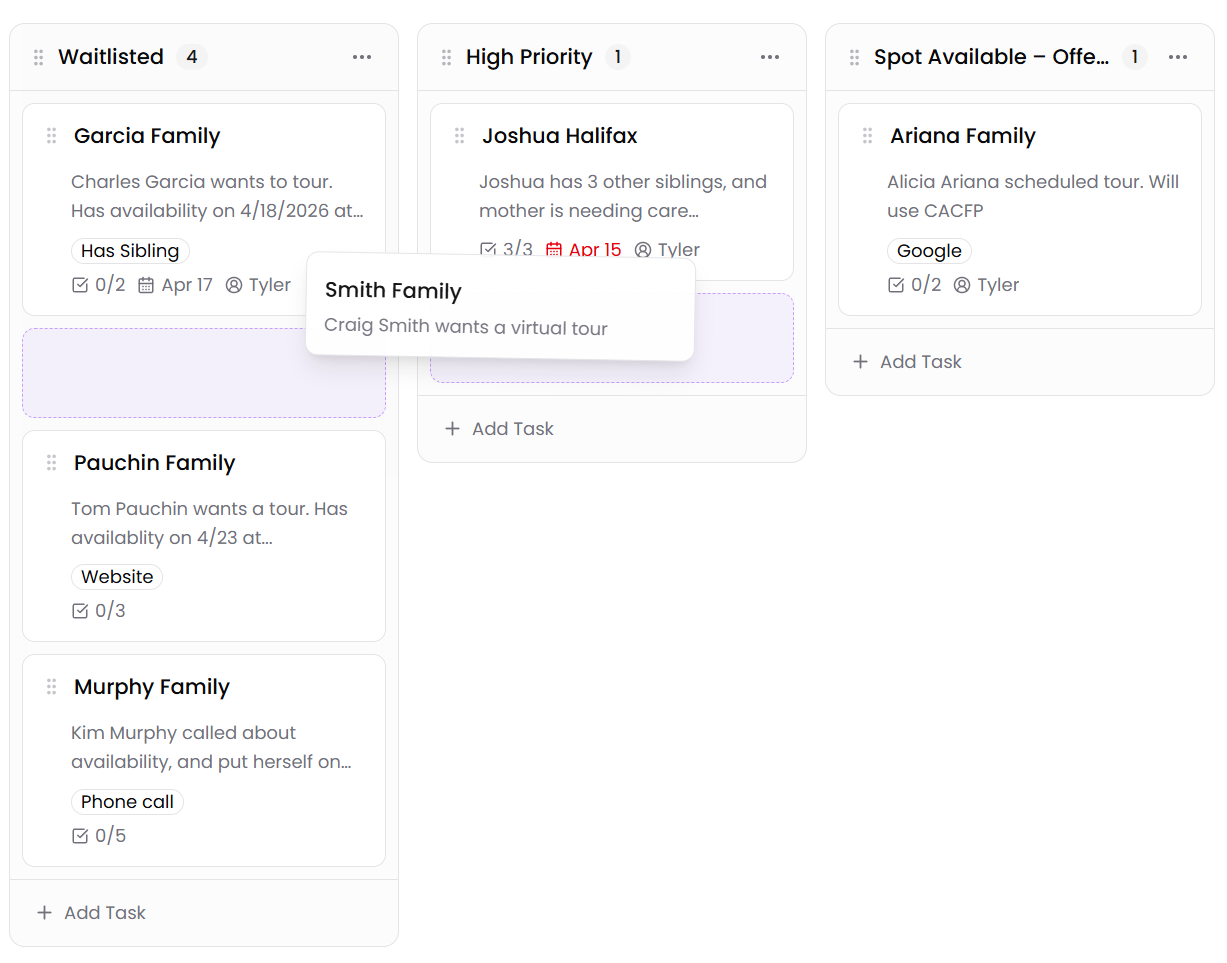
A visual board that tracks each family from first inquiry to first day.
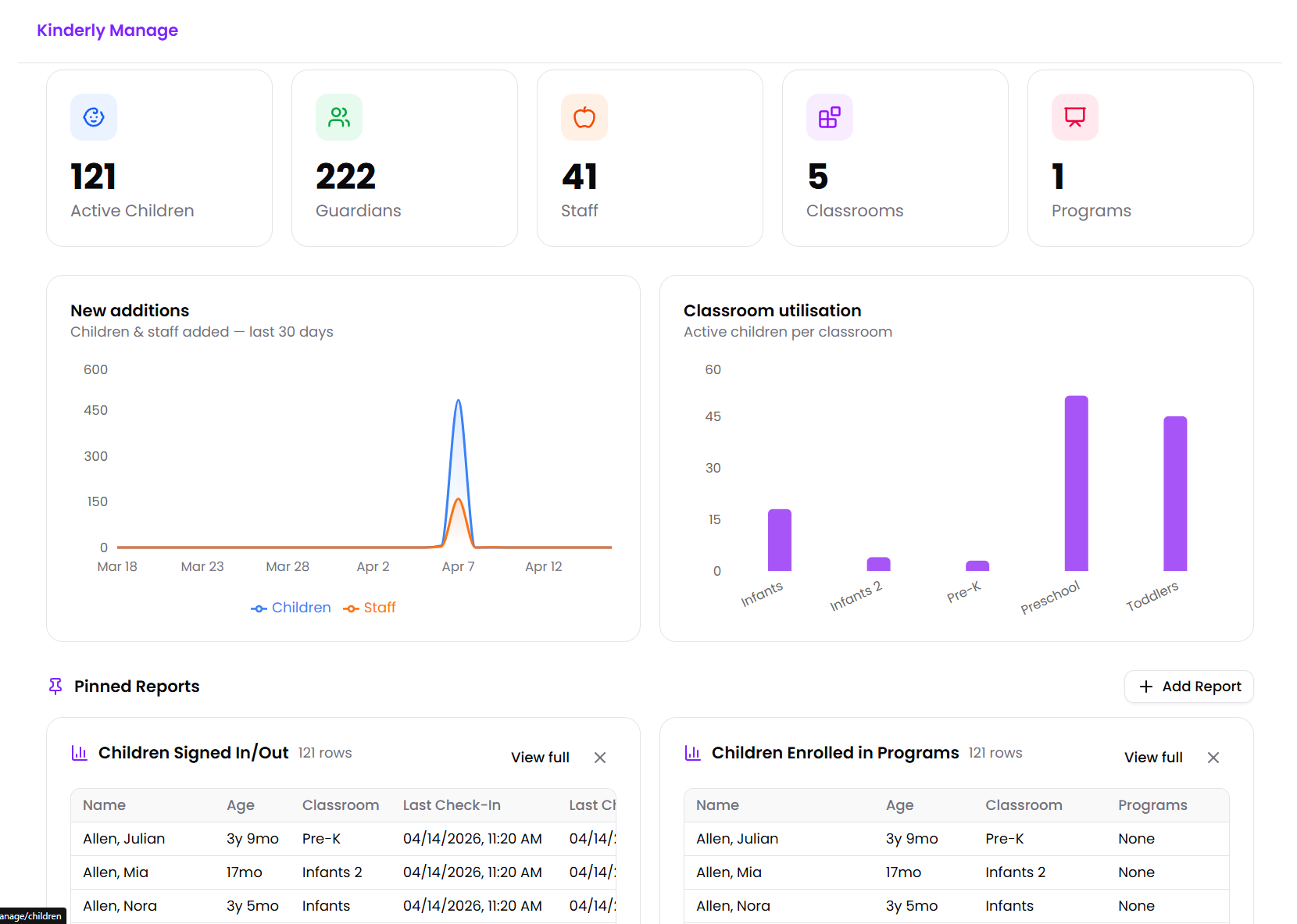
Children, staff, classrooms, attendance — your whole day in one place.
Trusted by


✻ The honest part ✻
But somehow that's where the week goes. Below are the four things we hear, almost word-for-word, every time we sit down with an owner or director — and the small change Kinderly makes to each one.
01
"I spent my whole Sunday printing enrollment packets again."
What it feels like
You print 14 pages, three families lose one, two forget to sign the immunization page, and you spend Monday re-typing everything into your computer.
Send a guided digital packet from your phone. Families finish it on theirs — usually before they've finished their coffee.
02
"I know I had a tour request from somebody. I just can't find it."
What it feels like
A tour gets requested on Facebook. Another by email. Another at pickup. Half of them never get a callback because nobody can remember who asked.
Every inquiry — wherever it came from — lands on one simple board. You can see who's next, who's gone quiet, and what to do about it.
03
"By the time I notice the toddler room is out of ratio, it's already happened."
What it feels like
Attendance is in one app, the ratio board is on paper, parent messages are in a fourth, schedules are in a Google Sheet. Nothing talks to anything else.
Attendance, ratios, schedules, messaging, and reporting — one screen for you, one app for your teachers. Out-of-ratio gets caught before it happens.
04
"Every Friday is the same three reminder calls about tuition."
What it feels like
You write invoices by hand, take checks at pickup, log them in a spreadsheet, and still spend Friday calling the same three families about last month.
Invoices generate themselves from your program fees. Families pay from the parent app. The awkward Friday call list gets a lot shorter.
✻ Tuesday, 6:45 to 5:30 ✻
Six moments most owners and directors will recognize — and the small changes that, added up, mean you leave when you said you would.
Without Kinderly
✕Open the building. Pull yesterday's paper sign-ins to type into the computer.
With Kinderly
✓Open the app. Yesterday's attendance is already in the system.
Without Kinderly
✕A new family calls about a tour. Scribble it on a sticky note.
With Kinderly
✓A new family fills out the tour form on your site. They appear on your Grow board.
Without Kinderly
✕Toddler room is one staffer short — you only notice when ratio breaks.
With Kinderly
✓Manage flags the room before opening and shows you the closest classroom you can pull from.
Without Kinderly
✕Print enrollment paperwork for the new Patel family. Send a PDF. Wait.
With Kinderly
✓Send the Patel family their digital packet from their Grow card. They finish on lunch break.
Without Kinderly
✕Two parents ask about tuition balances. You dig through your invoice spreadsheet.
With Kinderly
✓Both balances are visible in the parent app — they already paid one of them this morning.
Without Kinderly
✕Stay late to do payroll, count receipts, and answer messages.
With Kinderly
✓Payroll hours and expenses are already exported. You leave on time.
Owners using Kinderly tell us they get back 8 to 12 hours a week.
That's a whole work day, every week — yours again.
How Kinderly works
The whole journey of a family — and your team — in three simple steps.
Enroll
Send each family a guided enrollment packet — forms, documents, e-signatures — all completed online in minutes.
Grow
Move each family from Lead → Tour → Enrolled on a visual board. Tasks and packets stay attached to the card.
Manage
Once enrolled, every child's record, classroom, attendance, and billing lives in Manage — your whole team works from one system.
5 minutes
Average time for a family to finish a packet
99%
On-time payment rate with online billing
One platform
Replaces enrollment, CRM, CCMS, and billing
✻ Why people switch ✻
Most childcare software was built like you'd have an IT department to set it up. You don't. We didn't build ours that way either.
Kinderly is made for owners, directors, lead teachers — the actual humans running the place. Six things they tell us made the switch worth it:
No "modules" to configure, no jargon to decode. The first time you open Kinderly, the next thing you do is obvious. If you can use your phone, you can run your center on it.
Our team moves your families, programs, and enrollment forms across for you — for free. Most centers are taking real attendance within a few days.
We make the director portal, the teacher app, and the parent app. They all talk to each other because they're the same system — not three vendors duct-taped together.
A real person, usually within the hour. We'll help you build your enrollment packets, set up your tuition rates, and get your website live. No tickets queued for next Tuesday.
COPPA & FERPA aligned. AES-256 encryption. No ads, ever — your families are not the product, and we'll never sell their information.
One per-child rate. No setup fees, no per-feature upcharges, no surprise renewals. See pricing →
Kinderly Enroll
Replace paper enrollment forms with secure, guided digital packets families finish on any device — and get notified the moment they're done.
Drag-and-drop form builder with signatures, file uploads, and conditional questions — no design skills required.
Learn moreStore handbooks, permission slips, and policies in one place. Families read and sign PDFs right in their browser.
Learn moreBundle forms, documents, and signatures into a guided checklist. Families complete one step at a time.
Learn moreTrigger emails, create Grow cards, and route families based on their answers — all the moment a step is complete.
Learn moreSecurely gather family information
Learn moreKinderly Grow
Build your website, put inquiry and enrollment forms right on it, and track every family from first hello to first day — all in one place.
Build a beautiful childcare website without any code or a developer. Just point, click, and publish — most centers go live in an afternoon.
Learn morePut a tour-request form, an inquiry form, or your full enrollment paperwork onto any page of your website. Private, secure, and goes straight to your family tracker.
Learn moreOne simple board that shows every family you're talking to and exactly where they are — from "Lead" to "Enrolled". Move families with a click.
Learn moreRun separate boards for Infants, Toddlers, Pre-K, or different locations. Start from a ready-made template or build your own — and switch between boards in one click.
Learn moreKeep your to-do list, colour-coded labels, and every form a family has filled out — all together on one card so nothing falls through the cracks.
Learn moreBuild any page from welcome banners, photo galleries, videos, parent reviews, and contact info. Pick your colors and fonts once and they're applied everywhere.
Learn moreShow families around your center before they ever visit — with photo tours, 360° views, or walk-through videos right on your website.
Learn moreGet a free Kinderly web address, or use your own (like www.sunnydaycenter.com). Fast and reliable — we take care of everything behind the scenes.
Learn moreEvery page is set up to show in search results and look great when shared on Facebook — out of the box, with no extra work from you.
Learn moreSee how many families visit your website, which pages they read, and which buttons they click — all on one easy-to-read screen.
Learn moreKinderly Manage
Add-onChildren, staff, classrooms, attendance, reporting, and more — your entire center, running from one calm system.
Demographics, allergies, immunizations, guardians, USDA, and more — every detail in one secure place.
Learn moreTrack certifications, schedules, and time. Give staff their own app login for the day-to-day.
Learn moreMultiple guardians per child, custody flags, employer info, billing accounts — and a guardian app for parents.
Learn moreAssign children and staff to classrooms with real-time ratio tracking and time-based bands.
Learn moreDefine Full-Time, Part-Time, and after-school programs with capacity, fees, and enrollment timelines.
Learn moreLog child and staff attendance individually or in bulk, with full history on every record.
Learn moreEasy to use scheduling system with PTO, time-off approval, and clocked-in real-time view.
Learn moreReal-time, two-way chat between staff and guardians — on web and on mobile.
Learn moreSaved and custom reports across enrollment, attendance, and billing — built for state and licensing audits.
Learn moreCompanion mobile apps for teachers and parents.
Learn moreAuto-match children and submit attendance to KinderSystems for state subsidy reporting.
Learn moreTrack every dollar your center spends, set category budgets, and catch overspending before it happens — with receipt photos attached to every expense.
Learn moreKinderly Manage — Billing
Add-onGenerate invoices from your program fees, accept card payments and keep every family's account balanced — without a separate billing tool.
Family billing accounts that link guardians, children, and program fees together.
Learn moreGenerate recurring invoices from program fees, with overrides and bulk billing runs.
Learn moreAccept card payments from families and let parents pay in the app.
Learn moreKinderly handles sensitive information about children every day. We built our security practices from the ground up.
AES-256 at rest, TLS 1.3 in transit. Every byte protected.
Built with children's privacy laws in mind. We don't sell data and we never run ads.
PIN-protected, expiring, scoped to one family. No accounts, no guessable URLs.
MFA authentication for every staff account.
Globally distributed, DDoS-protected, and engineered for uptime.
Each center's data lives in its own scoped namespace — never shared, never crossed.
Yes. We built Kinderly for childcare directors and administrators — not engineers. There's nothing to install, no code, and our team will help you get set up.
Yes. Enroll and Grow integrate with any CCMS through our automation actions and webhooks. Manage is our own CCMS for centers that want everything in one place.
Yes. The Free plan covers a single user and basic enrollment. Pro ($15/seat/month) unlocks more shares, more forms, multiple boards, and the Manage add-on.
All data is encrypted in transit (TLS 1.3) and at rest (AES-256). We're built with COPPA and FERPA in mind, never sell data, and never run ads.
Free to start. No credit card. Our team is here when you need us.