
Build your own childcare website
Point, click, and publish — no code, no developer, no design skills required.
Build a beautiful website without touching any code, drop your enrollment forms onto any page, and watch every new family land on a simple board where you can see exactly where they are. From first hello to first day — without juggling four different tools.
No credit card · Free forever plan · Free onboarding help
Website builder
Point-and-click pages, beautiful themes, and virtual tours — no code, no developer.
Forms on every page
Inquiries, tour requests, and full enrollment packets — right on your website.
Family tracker
Every family, every step of your enrollment process, on one simple board.
Easy-to-use website builder
Pick a look you love. Add a welcome banner, your programs, a photo gallery, parent reviews, and a "Schedule a Tour" button. Hit publish. That's it — your site is live, with a free Kinderly web address or your own (like www.sunnydaycenter.com).
Sections
Inquiry form
🔒 Secured by Kinderly
Lands on your board
New family · The Patel family · "Leads" column
Forms on every page
Drop a tour-request form, an inquiry form, or your full enrollment paperwork onto any page of your website. Every family who fills one out is private and secure, and shows up automatically as a new family on your tracker — no copy-and-paste, no lost emails.
The family tracker
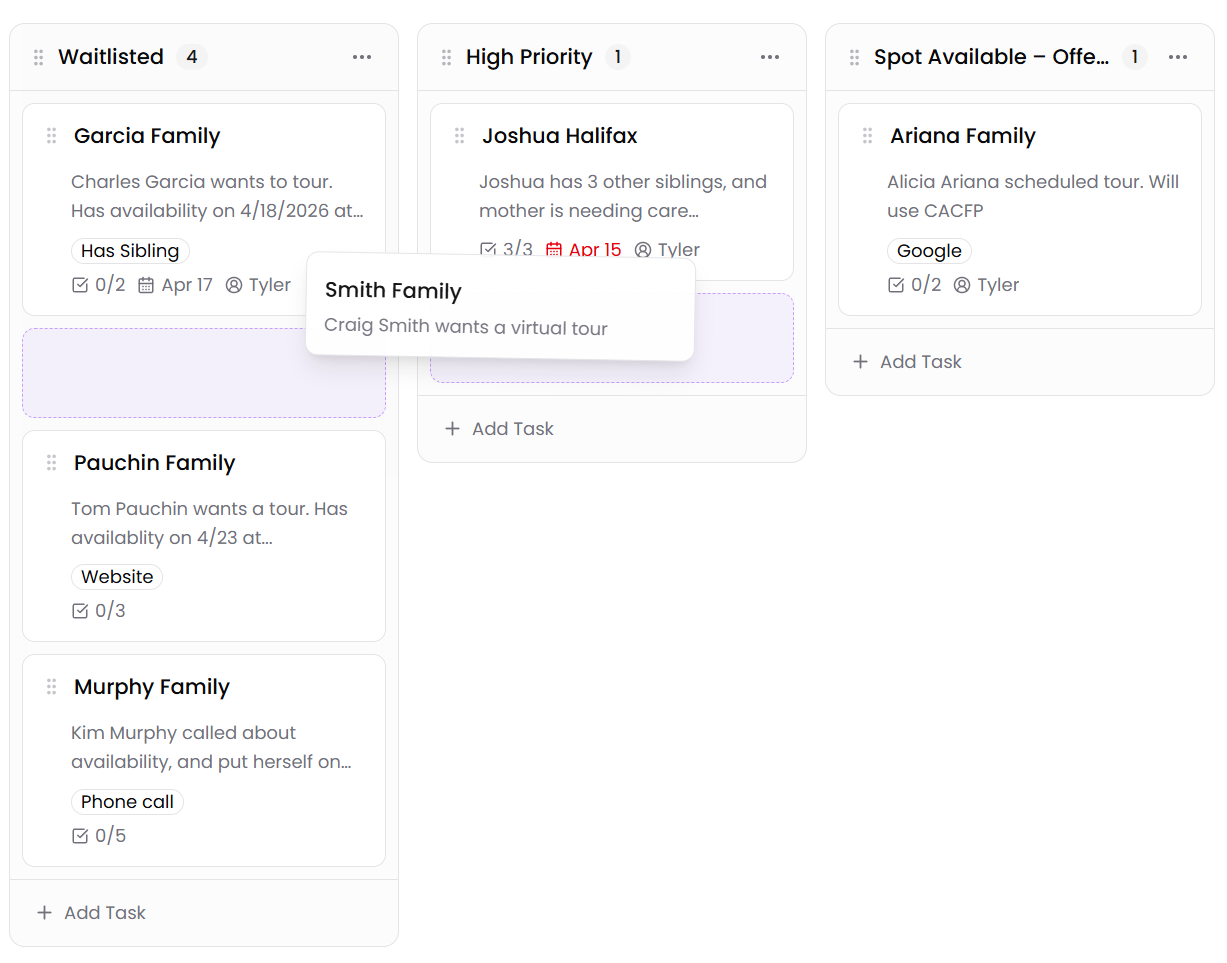
Move families between columns as they go through your enrollment process — from "Lead" to "Tour Scheduled" to "Enrolled". Click any family to see their notes, your to-do list for them, and every form they've filled out.
Family A
Family B
Family C
Family A
Family B
Family C
Family A
Family B
Family C
Family A
Family B
Family A
Family B
Family C
Without Grow
With Kinderly Grow
An easy website builder, forms you can put on any page, and a simple board for tracking every family.
Point, click, and publish — no code, no developer, no design skills required.
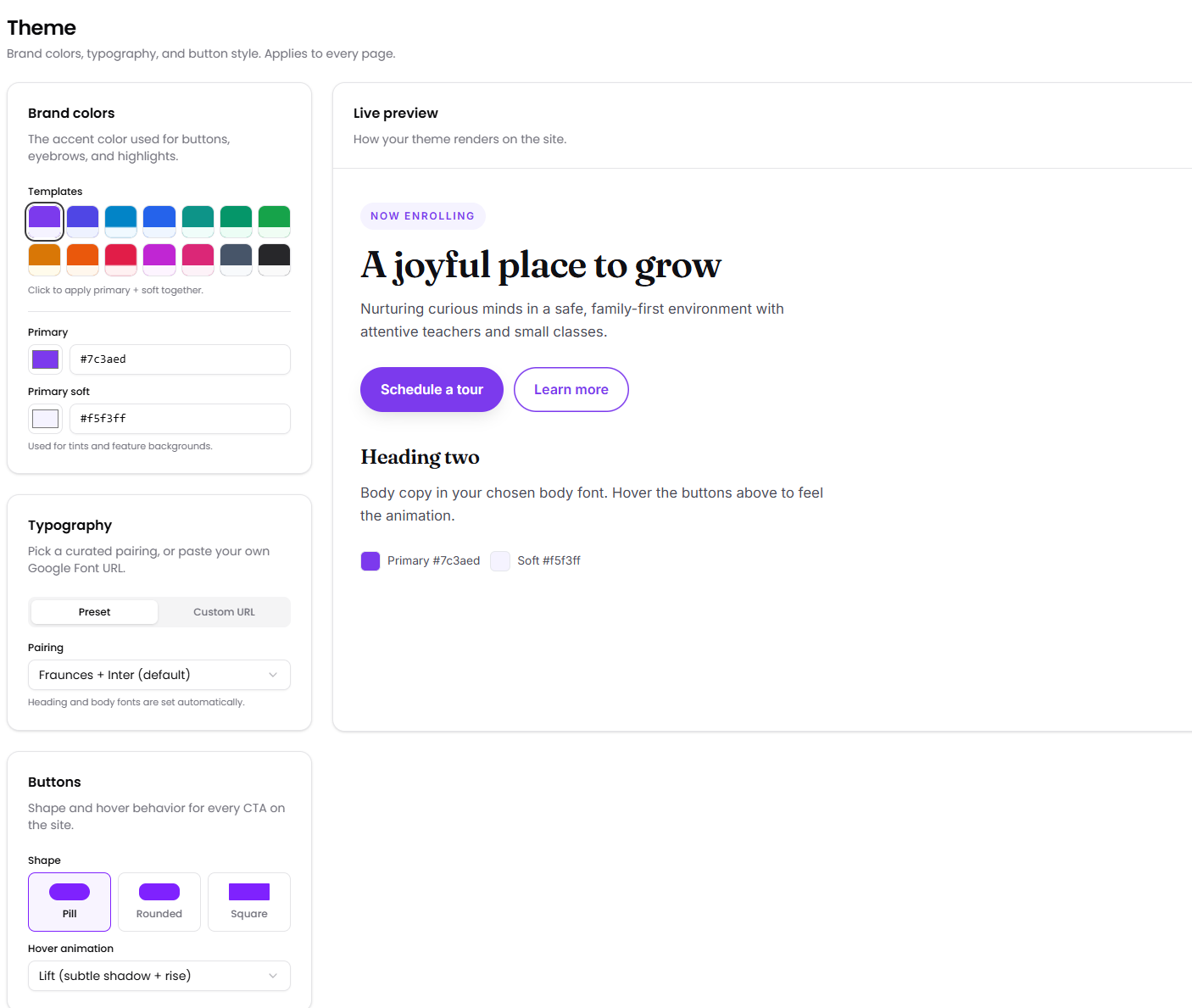
Use any of our templates, or bring your own styles
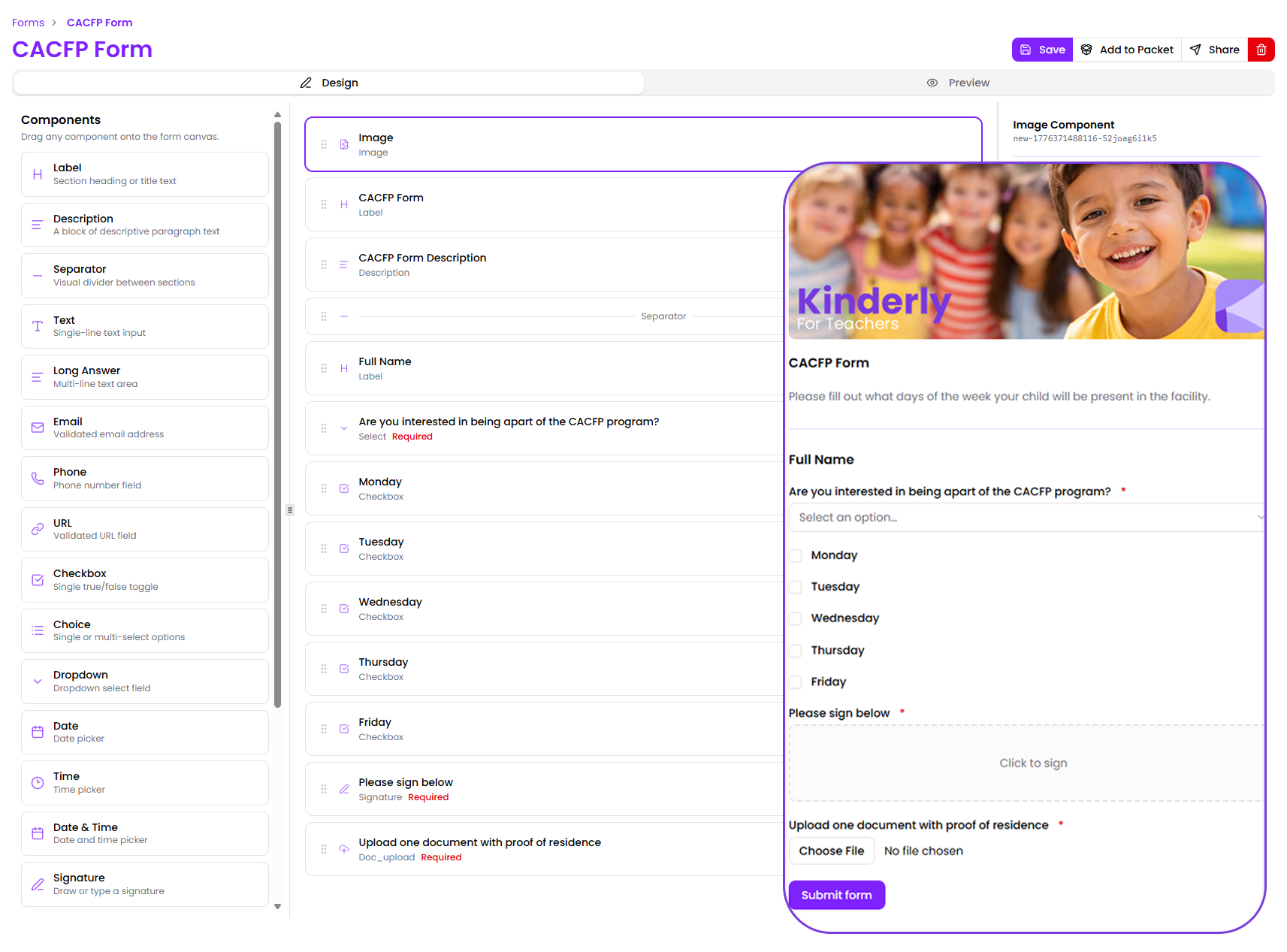
Put a tour-request form or your full enrollment paperwork on any page of your website.
Move families from "Lead" to "Enrolled" with a click — and see your whole enrollment at a glance.
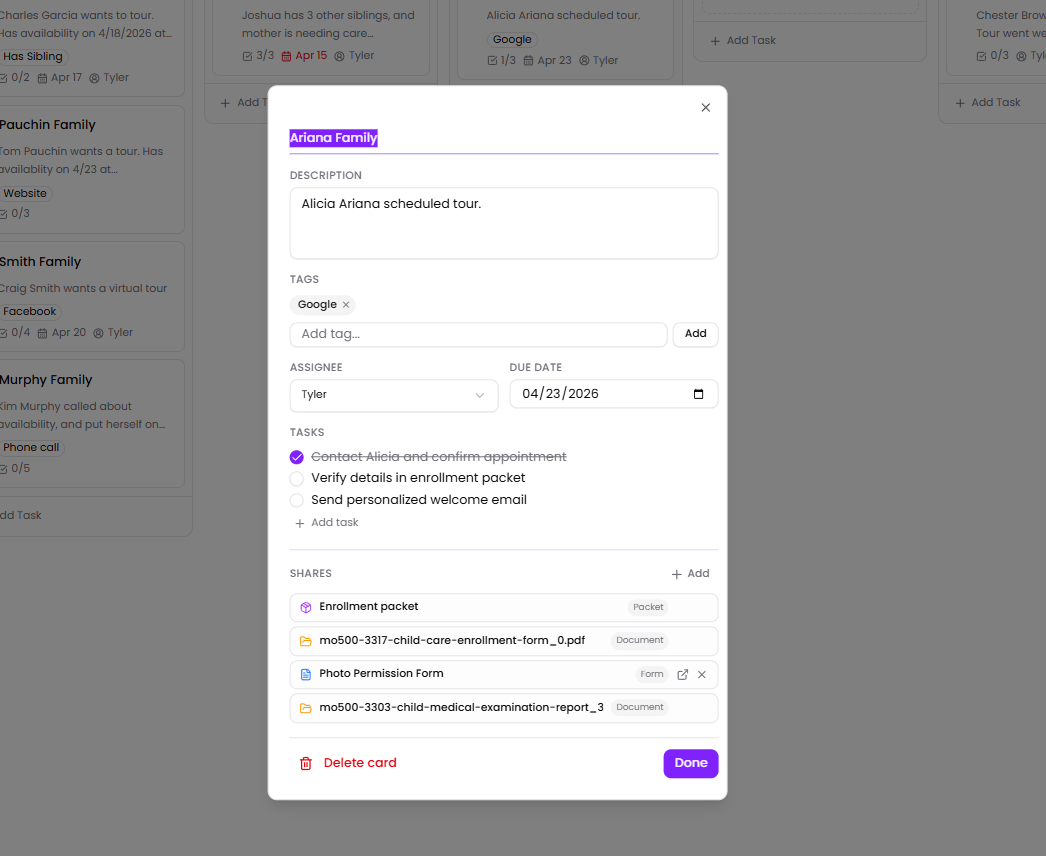
Notes, your to-do list, labels, and every form they've filled out — all together on one card.
All the pieces you need to find new families and welcome them in — from your website to your waitlist.
Build a beautiful childcare website without any code or a developer. Just point, click, and publish — most centers go live in an afternoon.
Learn morePut a tour-request form, an inquiry form, or your full enrollment paperwork onto any page of your website. Private, secure, and goes straight to your family tracker.
Learn moreOne simple board that shows every family you're talking to and exactly where they are — from "Lead" to "Enrolled". Move families with a click.
Learn moreRun separate boards for Infants, Toddlers, Pre-K, or different locations. Start from a ready-made template or build your own — and switch between boards in one click.
Learn moreKeep your to-do list, colour-coded labels, and every form a family has filled out — all together on one card so nothing falls through the cracks.
Learn moreBuild any page from welcome banners, photo galleries, videos, parent reviews, and contact info. Pick your colors and fonts once and they're applied everywhere.
Learn moreShow families around your center before they ever visit — with photo tours, 360° views, or walk-through videos right on your website.
Learn moreGet a free Kinderly web address, or use your own (like www.sunnydaycenter.com). Fast and reliable — we take care of everything behind the scenes.
Learn moreEvery page is set up to show in search results and look great when shared on Facebook — out of the box, with no extra work from you.
Learn moreSee how many families visit your website, which pages they read, and which buttons they click — all on one easy-to-read screen.
Learn moreNot at all. You just point, click, and type — the same way you'd use a Google Doc. Pick a look you love, add your welcome banner, programs, photos, parent reviews, and a "Schedule a Tour" button, and hit publish. Most centers have their website up in an afternoon.
Yes. Every site gets a free Kinderly web address out of the box, and you can use your own (like www.sunnydaycenter.com) too — we'll walk you through it.
Yes. Drop a tour-request form, an inquiry form, or your full enrollment paperwork onto any page. Every family who fills one out is private and secure, and shows up on your tracker automatically — no copy-and-paste, no lost emails.
Yes. Run a board for each program, location, or school year — each with its own columns and families, started from a ready-made template. The free plan includes one board; paid plans add more.
Yes. Send a family their enrollment paperwork right from their card. As they fill it out, you can see exactly where they are and what's left — all from the same place.
Yes. Every page you build is set up to show in Google search results from day one — and to look great when families share it on Facebook. There's also a simple visitor report that tells you how many families visited your site, which pages they read, and what they clicked on.
Yes. You can add a virtual tour — a photo tour, a 360° view, or a walk-through video — to any page, so families can have a look around your center before they ever visit.
Build your site, add your forms, and start tracking families today.